Blog Post #3
AWD
Author: Tom Frye
Updated: 04-13-2026
Operating Systems
A Quick Intro
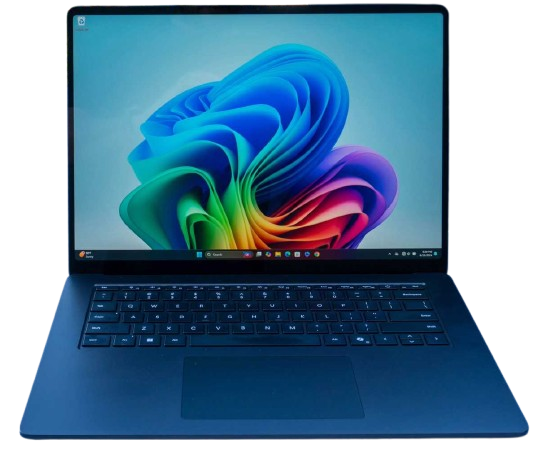
A modern digital computer is an electronic hardware device that runs a piece of software called an operating system (or OS) at its core. The unique characteristics of these marvels of science and technology allow computers to be both interactive with and programmable by users: their human counterparts. The earliest digital computers were not this versatile and were only programmable through panels of plugs into which programmers would install patch cords. But thanks to the innovative invention of the operating system based on software, almost anyone can interact with a computer and direct it to perform specific tasks for them.
Of course there are many different types of computer operating systems. But in the current client/server model, a client is a computer that interfaces with one individual at a time, while a server is a computer that serves any number of client computers over a network connection. And in the peer-to-peer model, individuals can simply interact through their computers and the network with other individuals and their computers. But in order for all of this to work, there needs to be standards and interoperability built into all of the various operating systems on the network. And already, this discussion is turning into TMI (too much information).
Proprietary vs. Open Source
Operating systems can also be broken down in another way into some that are proprietary and some that are open source. Examples of proprietary desktop operating systems are Microsoft's Windows, Apple's macOS, iOS, and iPadOS, and also Google's Android and ChromeOS.
A proprietary OS does not allow its users the ability to legally view the source code behind the OS. This has a few drawbacks in that users cannot legally modify any parts of that source code to make the OS perform better or in a manner that is more to their liking. And sadly, there is a price tag that we all must pay for a proprietary OS that has this serious disadvantage.
However, an open source OS generally does allow users the ability to legally view and modify the source code behind the OS. And in most cases, there is no price to pay to see or change that source code, or to modify it in any way that the user may see fit (providing of course that the user has the skill and ability to perform such tasks). The various distributions (or distros) of Linux are good examples of open source operating systems.
Linux and FOSS

The Linux OS is quickly becoming much more popular, thanks in part to the high prices of proprietary OSes like Windows 11, with its unchangeable feature sets that users cannot modify. But Windows 11 also incorporates over-bloated internal processes that seem to suck all of the power out of your computer hardware as well. In fact, did you know that Windows is the only desktop operating system in the world that is not based on a UNIX-like kernel? This will be covered in a separate blog post, but Linux is the antithesis of Windows 11. It is fast. It is (usually) free. And there are hundreds of different Linux distros to choose from, which are all advantages that are adding to its growing popularity.
The acronym FOSS stands for free open source software, which is a term that includes applications as well as operating systems. And while all open source OSes are not free, the majority of them are. Developers of some open source OSes that are not free often get around this by claiming that the OS is free, but services and support for their OS are not free, and that is what you are paying for when you buy their version of the OS.
An example of a Linux version that costs real money is Red Hat Enterprise Linux (RHEL), which is a commercial and professional Linux server OS. An example of a client Linux distro that has a price tag attached to it is Zorin OS Pro. Zorin charges users $48 USD to download and install their Pro version of Zorin OS, but they also offer a free version of Zorin OS that has fewer desktop features.
Other examples of FOSS operating systems include almost all of the other distros of the various versions of Linux, of which there are about 1,000 distros, but only about 600 of them that are being actively used and maintained. Of course the number of the most popular Linux distros is much lower. But this illustrates the beauty of FOSS, in that any Linux user who wants a specific niche distro for his own use or public distribution can modify any other open source distro and tweak it to his or her liking. But the subjects of the Linux OS and FOSS could consume an entire blog post on its own. So for now, we will leave it here.
The Best OS
So you might be saying, "Well, that's just fascinating, but what's the best desktop computer operating system in the world today?" And the answer to that question would depend on many factors, which we will discuss here next.
TL;DR
Regardless of which OS is the most popular OS these days, the best OS is the one that you prefer to use because you have more experience using that OS and you feel more comfortable using it.
The Most Popular OS
Maybe the much more relevant question would be, "What's the most popular desktop computer operating system in the world today?" And that is an easy question to answer. According to StatCounter's Global Statistics, well over half of all desktop computer users are using the Windows operating system. But its popularity appears to be dropping. Look at the trend line for Windows over the past year. Yet Windows remains the most popular OS, despite its decreasing popularity.
Does that make it better than all of the others? That is a much harder criterion to quantify. Certainly the most popular OS has a larger online community that can offer support, even if Microsoft itself doesn't perform that user support function very well. So certainly the Windows OS has that going for it.
What alternative OS is better to use if you don't really like Windows? Well, that's a matter of personal opinion and conjecture. Ask almost any Mac user this question, and they will often gladly tell you that they prefer using a Mac over using a Windows computer. Most Mac users find the Mac user interface (UI) much more intuitive than the Windows UI, and they stand adamantly behind that point.
Let's look at this graph again. If you combine the numbers for macOS with the numbers for OS X, you will find that less than 1-out-of-6 desktop computer users are using a Mac. But this reveals one other fact to consider. Apple changed the name of their OS from OS X to macOS in 2016. That means that some Mac users have been happily using their Macs for over ten years! And yet in 2025, Microsoft ended support for every version of its Windows OS except Windows 11. Perhaps that's one reason why Mac users seem to love Apple, while Windows users often simply tolerate Microsoft as the high price of admission, if they feel they must use the Windows OS.
Another interesting statistic we can learn from this graph is that the second most popular OS listed is Unknown. If roughly 1-out-of-5 desktop computer users are using an unknown OS, then what could that OS possibly be? The answer might be less difficult to determine than you might think.
Network security has become such an important issue that lots of computer users, especially computers in business, now employ firewalls, secure browsers, and VPNs (virtual private networks). These safeguards makes it much more difficult to detect the OS of any such computer on the Internet for a company like StatCounter. And even savvy computer users outside of business often quell their paranoia by only accessing the Internet through a VPN and a secure web browser.
But there may be more to it than that. Notice that less than 5% of users are using Linux while less than 1.5% of users are using ChromeOS. Does that make sense? Especially since Chromebooks are now the de facto standard for students in public schools?
Yes, that does make sense. The job of protecting our young people requires that each Chromebook has a firewall installed on it. That way, the firewall is in place whether the student is in the school classroom or doing their homework at home.
However, the number of possible Linux users also seems low on this chart. And certainly most Linux users would qualify as the savvy computer users we mentioned earlier, which means they probably are also accessing the Internet through a VPN and/or secure web browser. And it is a well-known fact that the numbers of Linux users are growing by leaps and bounds, as more and more users are converting those old desktops and laptops (that were running older versions of Windows that Microsoft no longer supports) into some modern distro of the Linux OS.
In conclusion, these facts make us think that most of those Unknown OS users in this StatCounter graph are using either Linux or ChromeOS.
You might hear us singing our praises for the Linux OS, while at the same time strongly criticizing ChromeOS. And that is because ChromeOS lacks the ability to install native applications locally, and it relies on Google Drive cloud storage for its file management. Web developers need to have the ability to install VS Code on their computers, and ChromeOS does not allow that. That's the only desktop computer OS we've mentioned here that does not have this capability. Another downside to ChromeOS is that it relies on having a constant connection to the Internet. If your Chromebook loses its network connection for any reason, you now have what we refer to as a brick. Any other computer OS would still allow you to do work offline. You can continue to write code using VS Code without an Internet connection with all other OSes. For these reasons, we are highly critical of ChromeOS.
But rumor has it that ChromeOS will probably go away in the near future. Google has been rather secretive about this, but they are working on a project called Aluminium OS, and it could replace the Android OS that is used in tablets and phones, and it could replace the ChromeOS that is used in Chromebook laptops. Details about this are sketchy. Other rumors seem to suggest that ChromeOS could be replaced by the Android OS in Chromebook laptops. It's too early to tell what Google is actually planning to do, but we could start to see these changes as early as late 2026. But unless the newer Chromebooks are able to install native apps and store files locally, we will remain highly critical.
Since the Windows OS is the most popular OS in the world, you will find us mentioning it here more often than other computer OSes. That said, Windows might not be the best OS in the world, but since it has the largest numbers of users, it is the easiest OS to support.
In our next blog post, we will discuss Windows 10 and Windows 11. And if you thought we were too critical of ChromeOS, hold onto your hat as we tear into Microsoft and this travesty they call Windows.